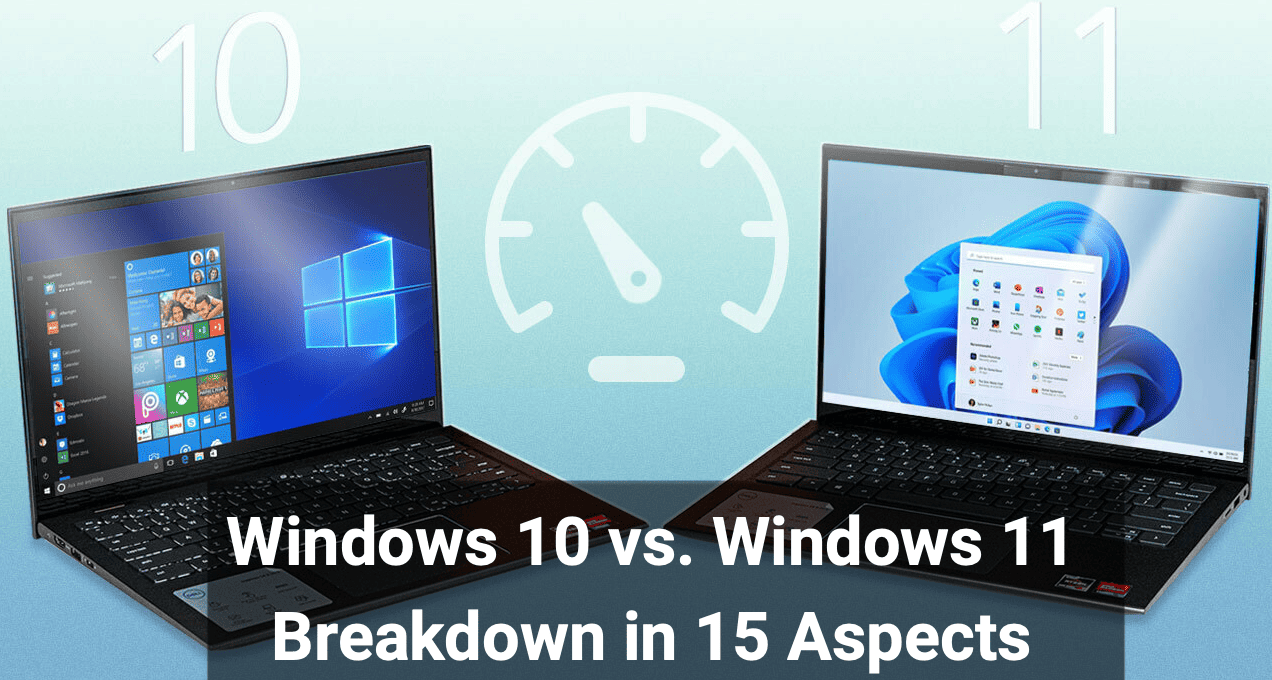
Windows is a graphical operating system developed by Microsoft that lets users interact with computers through windows, icons, menus, and a mouse while managing files, running applications, and connecting to the internet. It is widely used on personal computers and laptops and is known for its user-friendly interface, broad software compatibility, and regular updates. Windows was first released on November 20, 1985, with Windows 1.0 built on MS-DOS, and was created by Microsoft, a company founded on April 4, 1975 by Bill Gates and Paul Allen. Bill Gates played a major role in shaping Windows into the world’s most widely used desktop operating system, helping establish Microsoft as a global technology leader.
💰 Monetization of Windows (Microsoft)
- OEM Licensing Pipeline – Microsoft earns major revenue by licensing Windows to PC manufacturers (Dell, HP, Lenovo), where Windows comes pre-installed on new devices.
- Retail & Digital Activation Sales – Individual users and businesses purchase Windows licenses directly via Microsoft Store, boxed keys, or digital activation upgrades.
- Enterprise & Volume Licensing – Large organizations pay through subscription-based agreements (Enterprise, Education, Government) for bulk Windows deployments and long-term support.
- Upgrade-Driven Monetization – New Windows versions and premium editions (Pro, Enterprise) generate income through feature-based upgrades rather than one-time OS sales alone.
- Ecosystem Lock-In Value – Windows indirectly boosts revenue by driving adoption of Microsoft services like Microsoft 365, OneDrive, Edge, and cloud integrations, increasing lifetime customer value.
🪟 Windows 10 – (All Key Aspects)
Windows 10 is a stable, mature, and widely compatible operating system designed for both personal and professional use. It delivers smooth performance on a wide range of hardware, from older PCs to modern systems, making it a reliable choice for everyday computing, productivity, and gaming.
⚙️ Performance & Usability
Windows 10 offers fast boot times, efficient RAM usage, and a familiar interface with the classic Start Menu. It supports extensive software and driver compatibility, ensuring smooth operation for legacy and modern applications alike.
🔐 Security
Windows 10 includes strong built-in security features such as Windows Defender Antivirus, Firewall, Secure Boot, BitLocker encryption, and Windows Hello. Regular security patches protect users from malware, ransomware, and emerging threats without heavy performance impact.
🔄 Updates & Support
Microsoft provides monthly security updates and periodic feature updates to keep the system secure and functional. While updates can be large, Windows 10 allows more user control compared to newer versions. Official support continues until October 14, 2025, making it a dependable OS for the near future.
⭐ Final Take
Windows 10 remains a balanced operating system—strong in performance, security, and compatibility—especially suitable for users who prefer stability over frequent interface changes.
🪟 Windows 11 – (All Key Aspects)
Windows 11 is Microsoft’s future-focused operating system designed around modern hardware, visual refinement, and stronger security foundations. It emphasizes productivity, hybrid-work efficiency, and long-term platform stability rather than lightweight legacy support.
⚙️ Performance & Experience
Windows 11 introduces a redesigned interface with smoother animations, Snap Layouts, and improved window management. Performance is optimized for newer CPUs, especially hybrid architectures, delivering better task prioritization and responsiveness on supported systems—though older hardware may see limited gains.
🔐 Security (Core-First Approach)
Security is central to Windows 11. Mandatory TPM 2.0, Secure Boot, Virtualization-Based Security (VBS), and hardware-isolated memory protection significantly raise defense against firmware attacks, ransomware, and kernel-level threats. This makes Windows 11 one of the most secure desktop operating systems Microsoft has released.
🔄 Updates & Maintenance
Windows 11 receives smaller, faster feature updates once per year, combined with regular monthly security patches. Background updates are less disruptive, and system servicing is more streamlined than Windows 10, focusing on long-term reliability rather than frequent major changes.
🎮 Gaming & Productivity
With support for DirectStorage, Auto HDR, and advanced graphics pipelines, Windows 11 enhances gaming on modern hardware. Productivity tools like Snap Groups and improved multi-monitor handling make it ideal for professional workflows.
⭐ Final Verdict
Windows 11 is a strategic evolution, not a universal upgrade. It excels in security, modern performance, and productivity but favors newer systems. For users with supported hardware, it delivers a cleaner, safer, and more future-ready Windows experience.
🪟 Windows 10 vs Windows 11

Evolution or Performance Decline? (15-Aspect Breakdown)
- Boot & Startup Behavior
Windows 11 boots faster on modern SSD systems, but older hardware often sees no improvement over Windows 10. - CPU Scheduling Intelligence
Windows 11 is optimized for hybrid CPUs (Intel P-cores & E-cores), offering better task allocation than Windows 10. - RAM Management
Windows 11 uses more background memory, improving responsiveness but slightly increasing idle RAM usage. - Gaming Performance
Features like DirectStorage and Auto HDR enhance gaming, though benefits depend on supported hardware. - System Stability
Windows 10 remains more stable for legacy applications, while Windows 11 prioritizes newer software frameworks. - UI Rendering Load
Rounded corners and animations in Windows 11 increase GPU dependency compared to Windows 10’s simpler UI. - Security Overhead
Mandatory TPM 2.0 and VBS improve protection but can reduce performance on low-end systems. - Background Services
Windows 11 runs more background services by default, increasing system resource usage. - File Explorer Efficiency
Windows 11’s modern File Explorer is visually improved but initially slower than Windows 10’s classic version. - Update Size & Frequency
Windows 11 delivers smaller feature updates but requires more frequent background servicing. - Battery Optimization
Windows 11 improves battery life on newer laptops but shows negligible gains on older devices. - Driver Compatibility
Windows 10 supports broader legacy drivers; Windows 11 focuses on modern hardware ecosystems. - Multitasking Tools
Snap Layouts and Snap Groups in Windows 11 significantly improve productivity over Windows 10. - Thermal & Power Handling
Windows 11 prioritizes sustained performance, sometimes causing higher thermal output. - Long-Term Performance Curve
Windows 10 matures with consistent performance, while Windows 11 improves gradually with each update.
Hidden Perfomance Drawbacks

- Background Security Load Creep (Windows 11)
Windows 11’s always-on security layers (VBS, memory integrity, TPM checks) silently consume CPU cycles and RAM, reducing performance on mid-range and older processors. - UI Compositor Overhead (Windows 11)
The modern UI with transparency, rounded corners, and animation relies more heavily on GPU acceleration, causing subtle frame drops on systems with integrated graphics. - Idle Resource Inflation (Windows 11)
Even at idle, Windows 11 uses more background services and memory than Windows 10, shrinking available resources for low-spec machines. - Legacy App Throttling (Windows 11)
Older applications not optimized for Windows 11’s scheduling and security model may run slower despite identical hardware. - Update-Induced Performance Variance (Both)
Cumulative updates can temporarily degrade performance after installation, but Windows 11 shows greater fluctuation due to deeper system-level changes.

Leave a Reply